Production Tools
Production Tools
Production Tools are the show-day side of CrewAxis: Run-of-Show timing, Prompter views, HyperDeck control, media cues, and live displays that help the team run the event instead of only planning it before and remembering it after.
Planning still matters, but the event day is where details have to become action. Production Tools keep timing, cues, scripts, media, and display surfaces connected to the event workflow your team already built.
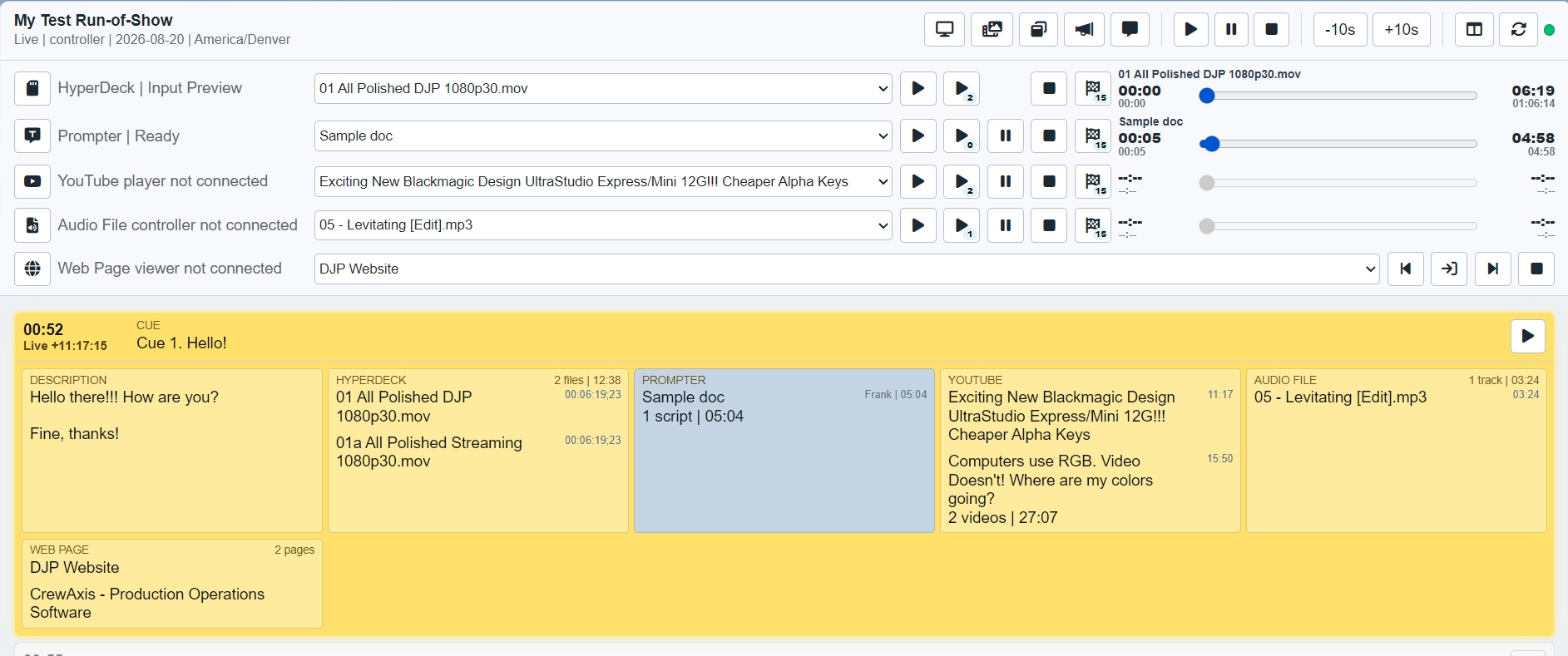
Replace basic Run Sheets with active cue tracking, timing, controller views, mini views, and production display modes that stay tied to the event.
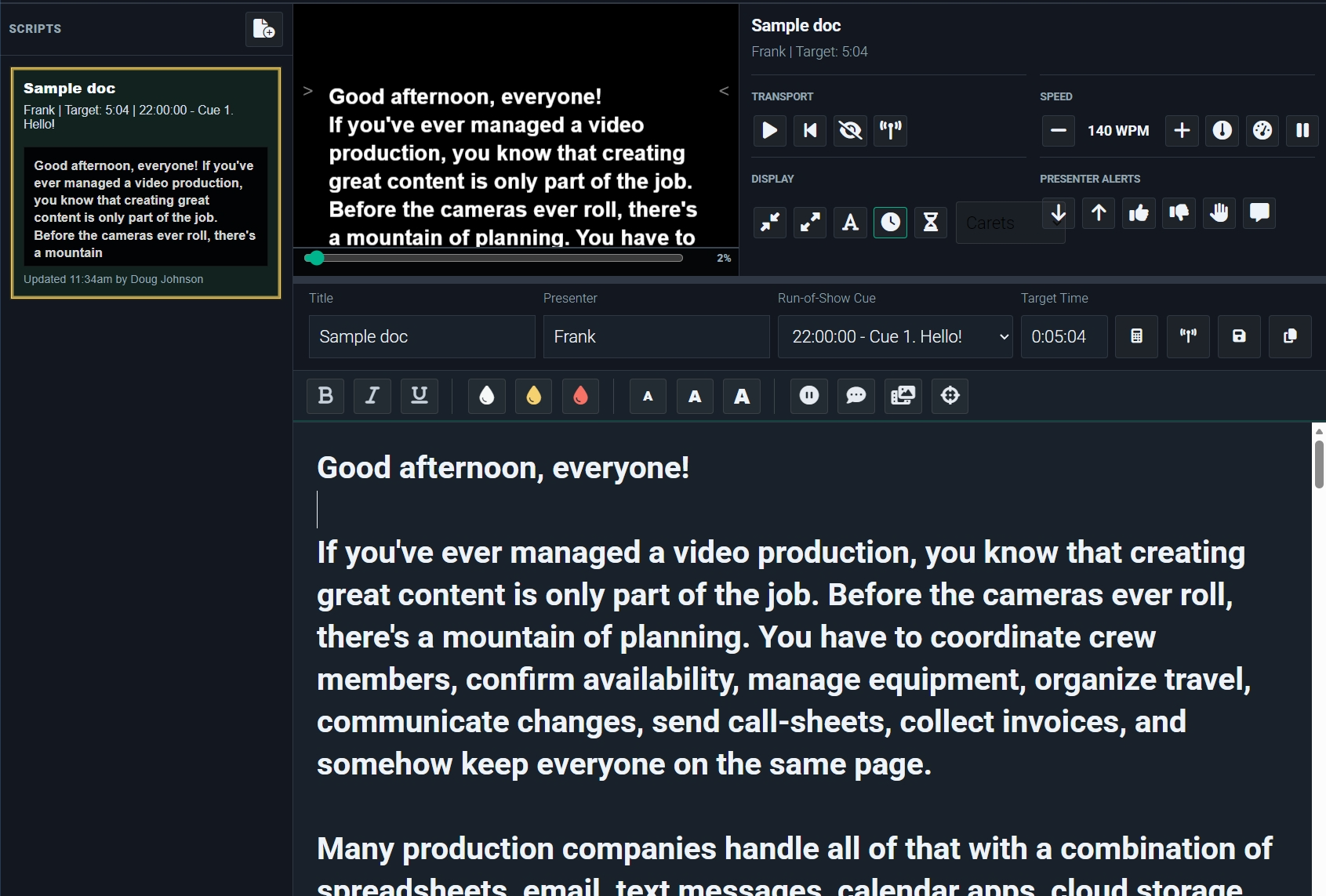
Create scripts, share signed view links, control playback, and keep presenter-facing text synchronized with the production flow.
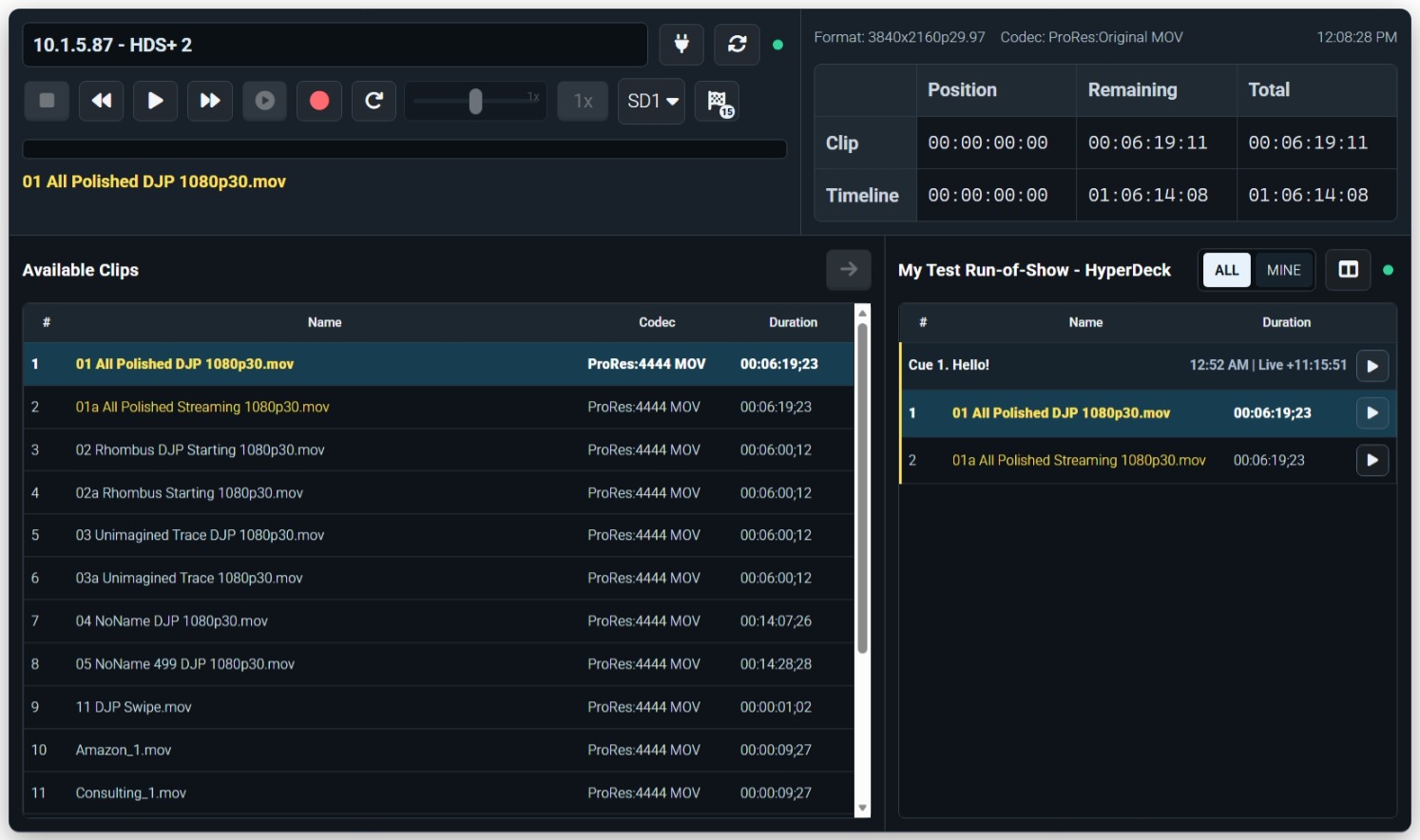
Cue, play, pause, seek, and monitor supported show playback decks from a browser-based control surface on the local production network.
Connect browser sources, audio playback, YouTube playback, and show-linked media controls to the Run-of-Show rows they support.
Start from the event and create the show document, cue list, timing structure, and crew-visible context.
Use controller, display, and mini views so the right people can follow what is current and what is next.
Advance cues, manage scripts, and control show playback without separating the production tools from the production record.
The same event remains available for notes, costs, invoices, crew feedback, and future planning after the show is over.
Production Tools are not meant to replace scheduling, staffing, communication, resources, or follow-up. They extend the same connected workflow into the hours when the crew is on site and the show is moving.